 BikeOtter
The companion your bike computer deserves.
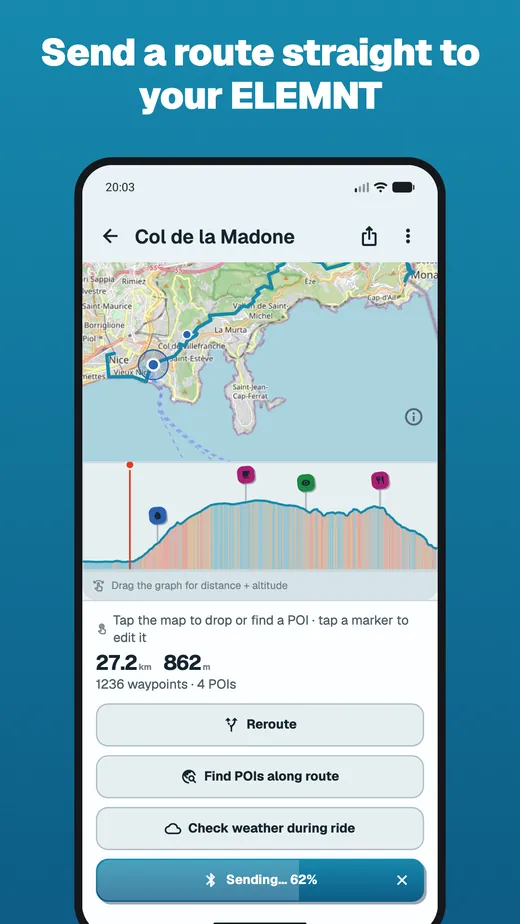
Plan a route with the stops that matter, send it to the bike computer over Bluetooth — no cloud round-trip, no extra account — and get your rides back afterwards.

What it does
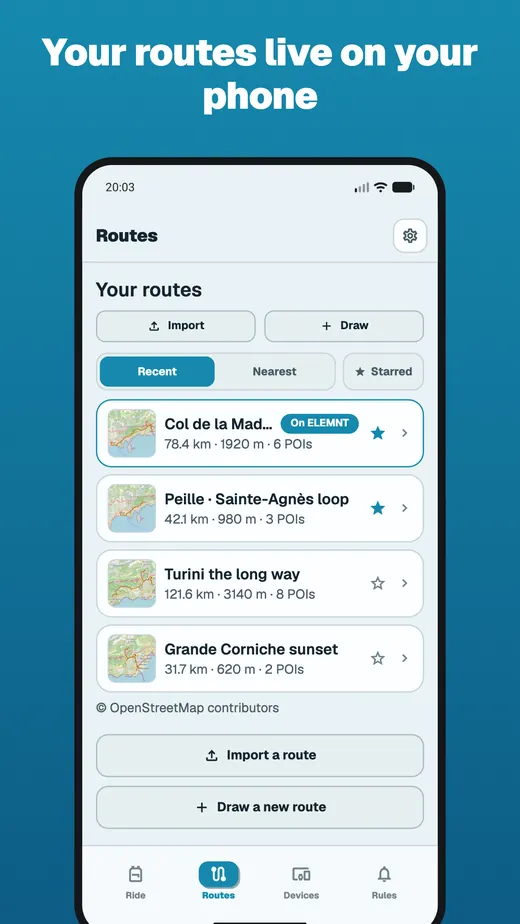
- Android · iOS
- ELEMNT BOLT · ROAM · ACE
- Garmin Edge — beta, sending routes works
Nine chapters, and what each one actually does
Every card shows the thing it describes. Open a chapter for the whole story.
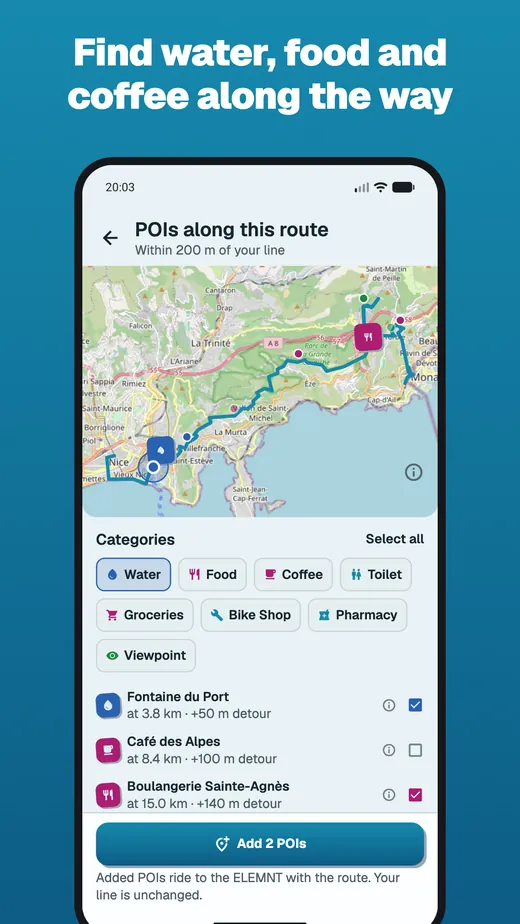
Stops that matter
Find the water, coffee and food along your whole route — and whether it’ll still be open when you get there.

Plan & carry routes
Draw a route on the map, browse what your bike computer already carries, and keep a library on your phone.

Bend the route
Add a place to the route you’re already riding, without redrawing the rest of it.

Send it to the bike computer
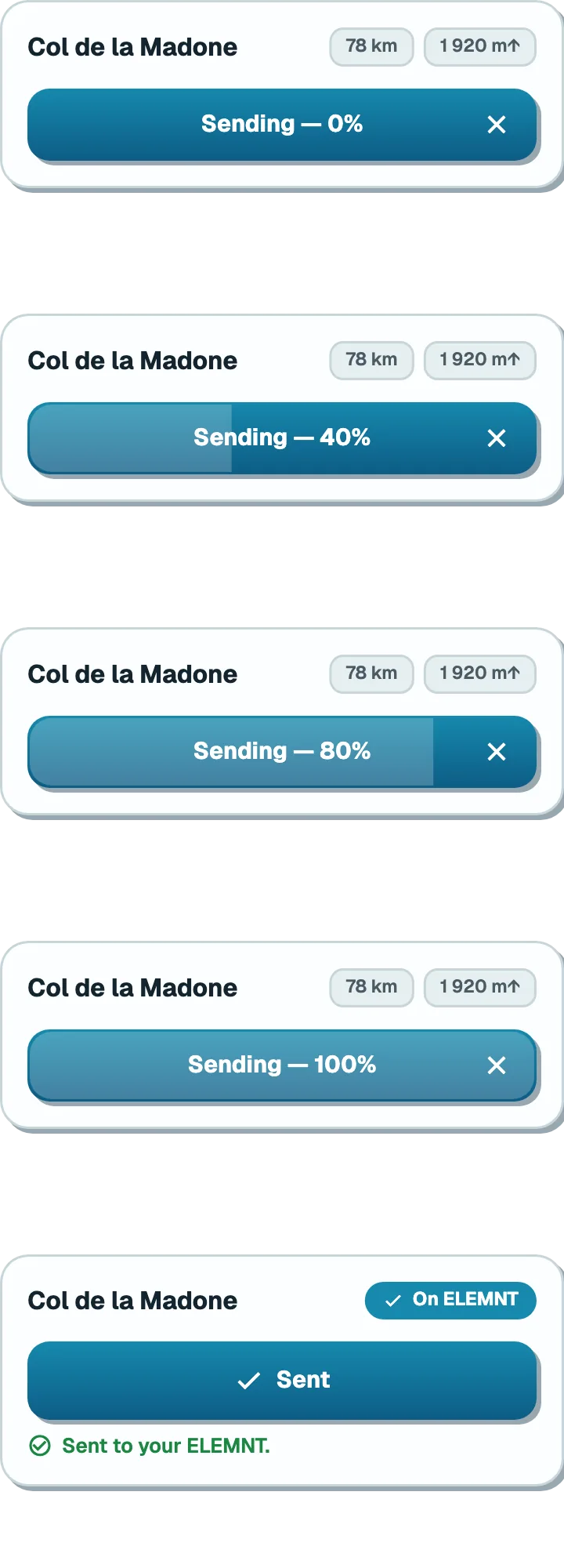
Phone to device over Bluetooth, stops intact, cue noise under your control.
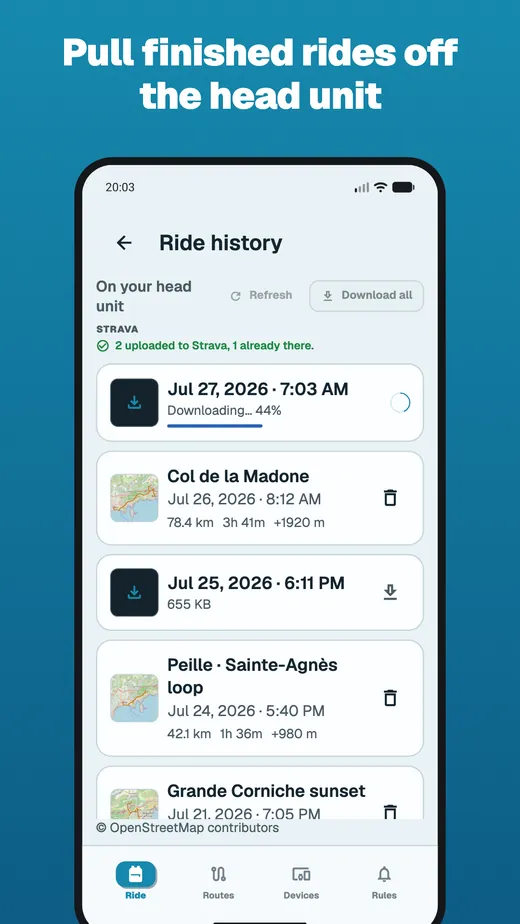
Rides come back
Every ride in one list, pulled off the bike computer over Bluetooth and uploaded to Strava on its own.

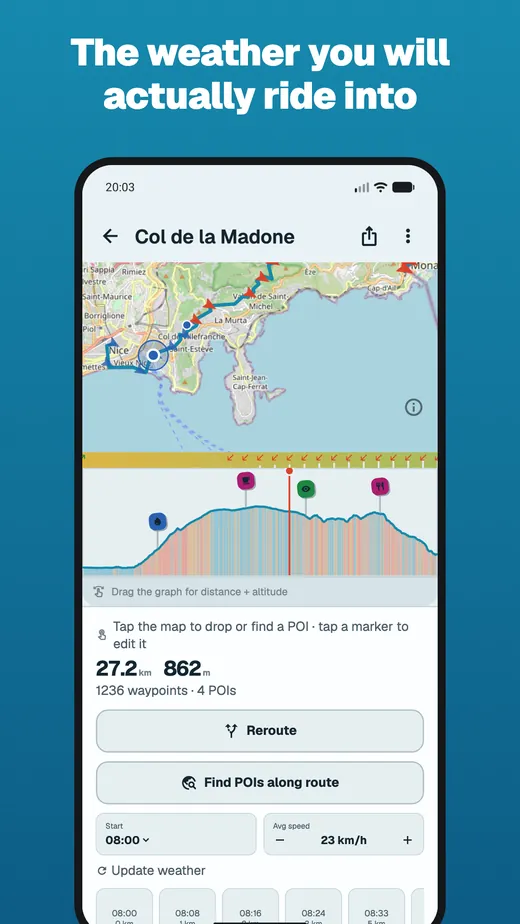
Weather, Sun & Rain Radar
The forecast for where you’ll be when you get there — and a sunscreen reminder that follows the sun.
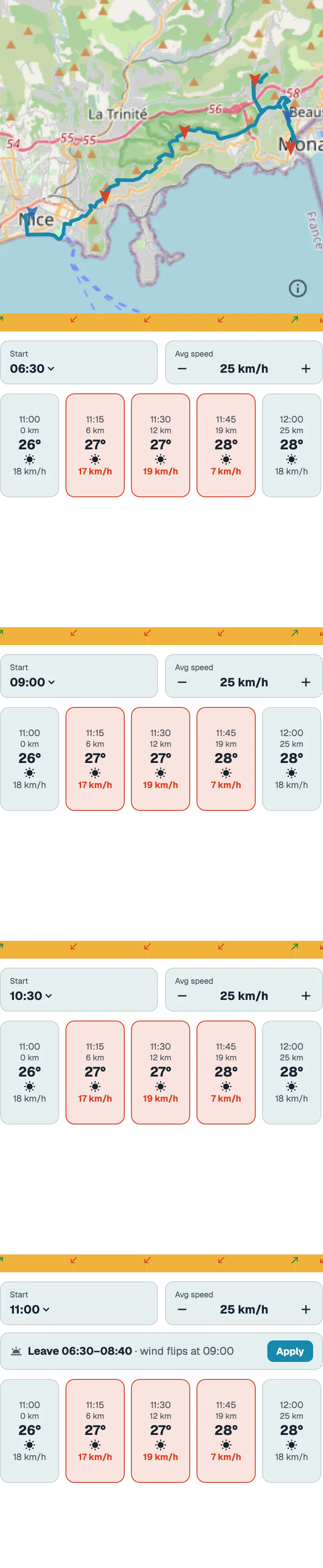
And the full report: temperature range, wind verdict, the wet stretch.
Rules that speak up
Your own alerts on the screen in front of you — and quiet when you’re descending fast.

—and the preview shows the exact words that land on the screen.
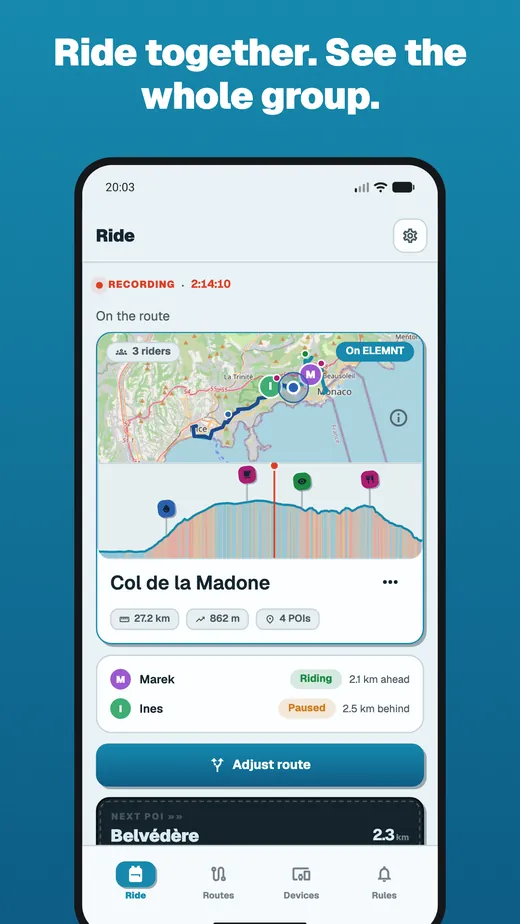
Let them follow along
A live link friends can follow for the whole ride — and message you back on.

Group rides: everyone on one shared map, live.
Intervals
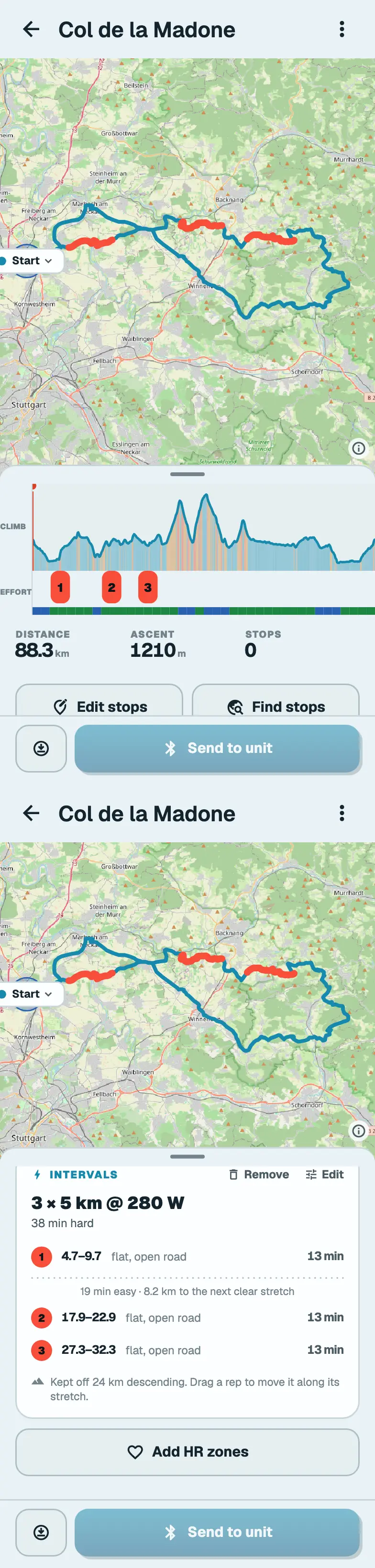
Structured efforts a bike computer can’t run — placed only where the road holds them, cued on its screen.
What BikeOtter adds
It sits alongside the maker's own app rather than replacing it — here is what it adds.
| Capability | With BikeOtter | Existing companion apps |
|---|---|---|
| Send a route, phone → device | Over Bluetooth, no cloud | Cloud + Wi-Fi — outside your control |
| POIs survive to the device | Typed stops the unit displays | Not carried over, or not under your control |
| Search stops along the whole route | 200 m corridor, one query, ordered by where you meet them | Not available |
| Know if a stop will be open | Opening hours crossed with your projected arrival | None |
| Control the turn cues on push | Send all, thin, or strip — plus a ±200 m timing offset | Not available |
| Group rides on one map | 10 riders, 12 h, join by link or QR | Not available, or one ecosystem only |
| Followers can message the rider | To the bike computer's screen, rate-limited | Not available, or limited |
| Edit or reroute a route | Via-POI or detour-and-rejoin | Limited |
| Plan a route in-app | Tap the map, pick trekking, fast bike or shortest | Through the maker's cloud |
| Download rides to the phone | Over Bluetooth, with progress + retry | Auto-sync you don't control |
| Turn a ride into a route | One tap, on the phone | Via the cloud, if at all |
| Alerts that react to conditions | Weather ahead, grade, heart rate, UV | Timer-style alerts |
| Weather during the ride | Rain, wind, temperature look-ahead on the device | Some ecosystems offer similar |
| Sunscreen reminders | UV × skin type × time in sun | Not available |
| Live tracking | Own backend, fed by the bike computer; pause-aware; link expires | The maker's cloud, limited |
| Voice control | On-device, English & German commands — experimental | None |
Compared against the companion apps the head-unit makers ship today. If they add any of these themselves, riders win either way.
What happens to your data
Most of what BikeOtter does never leaves your phone. The little that does has a deletion date attached to it.
- Your routes and rides never reach a server. Routes, rides, stops, rules and workouts move between your phone and the bike computer over Bluetooth, and live as files on your phone.
- Sensor data and location come from the bike computer, not your phone. The dot your followers watch and the numbers your rules react to are the head unit's own GPS fix and sensor readings, streamed to the phone over Bluetooth.
- Most of the app needs no account. Pairing, planning, sending, pulling rides, weather and rules all work signed out. Signing in is for live sharing and support.
- Live-link data deletes itself. A shared ride’s track points and its session record go together, a week after the ride — on a timer, not on request.
- Searches are cached by the question, not the asker. Looking up a café or an address is stored against the search itself, with no account attached, and cleared on its own.
- What you create stays until you remove it. Contacts, a Strava connection and any support conversation have no timer on them — deleting your account takes all of it with you.
| What | How long it stays |
|---|---|
| Live track points | Deleted with the ride’s session, 7 days after it finishes |
| The live session itself | Deleted 7 days after the ride ends — anything sent to you goes with it |
| Group rides | Deleted 7 days after the group ends |
| A live link | Stops working 6 hours after you start it |
| A group link | Stops working 12 hours after the ride goes live |
| A ride you plan ahead, before anyone starts it | Stays joinable — holding the names of everyone who has said yes — for up to 30 days before the ride starts |
| Stop searches | Cached by the search itself, not by who searched — cleared after 24 hours |
| Address searches | Cached by the search itself, not by who searched — cleared after 8 days |
| Weather lookups | Cleared after 2 hours |
Your bike computer needs its maker's app once, to set itself up out of the box. After that BikeOtter talks to it directly over Bluetooth.
A ride with BikeOtter
- 01
Pair
The app takes the bike computer as its one Bluetooth central — and a single tap hands it back to the official app whenever you want.
- 02
Plan
Import a file or a past ride; draw from scratch; splice in the bakery. Send it — stops included.
- 03
Ride
The bike computer runs the show. The phone feeds it weather warnings and your rules, and streams a live link to whoever worries about you.
- 04
Afterwards
Rides pull back over Bluetooth, match up with what's already on the phone, and upload themselves to Strava.
One companion, across brands
Wahoo ELEMNT supported
BOLT, ROAM and ACE — send routes, get rides back, alerts on the screen, live tracking, the lot.
See it on an bike computer →Garmin Edge beta
Connect, device info, route push and find-device already work on a real Edge 540. Ride pull, workout push and notifications are next up for hardware verification.
Where support stands →Why this exists
Bike computers are great instruments and their companion apps are an afterthought. BikeOtter is what happens when the phone app takes the job seriously: the device stays the instrument, the phone does everything around the ride — planning, weather, nagging, sharing, archiving — without waiting on a cloud round-trip.
Built by a rider